
EPUB Reader

EPUB Reader › Guides

Read MOBI and AZW3 files in your browser

A .mobi or .azw3 from an old download usually means a detour: convert it first, or hand it to a site that wants the file uploaded. This reader opens it as it is, in a browser tab, and the file stays on your computer.

No conversion, no account, no upload. This is a reader, not a converter: nothing comes back out as a new file.
How to open one

Open the reader

Go to the reader in any modern browser. There is nothing to sign up for and nothing to install.

Drop the file on the page

Drag the .mobi or .azw3 anywhere onto the page, or click Open book… and pick it. Several files at once is fine.

Read it like any other book

Chapters, search, highlights, bookmarks and the dictionary all work the same, and the book joins your library in this browser.

Which formats open

Whatever the format, the reading side is the same: page numbers that hold their value when you change the font size, time left in the chapter, search across the whole book with every match grouped by chapter, four highlight colours with notes, bookmarks, and a dictionary that looks a selected word up in Wiktionary.

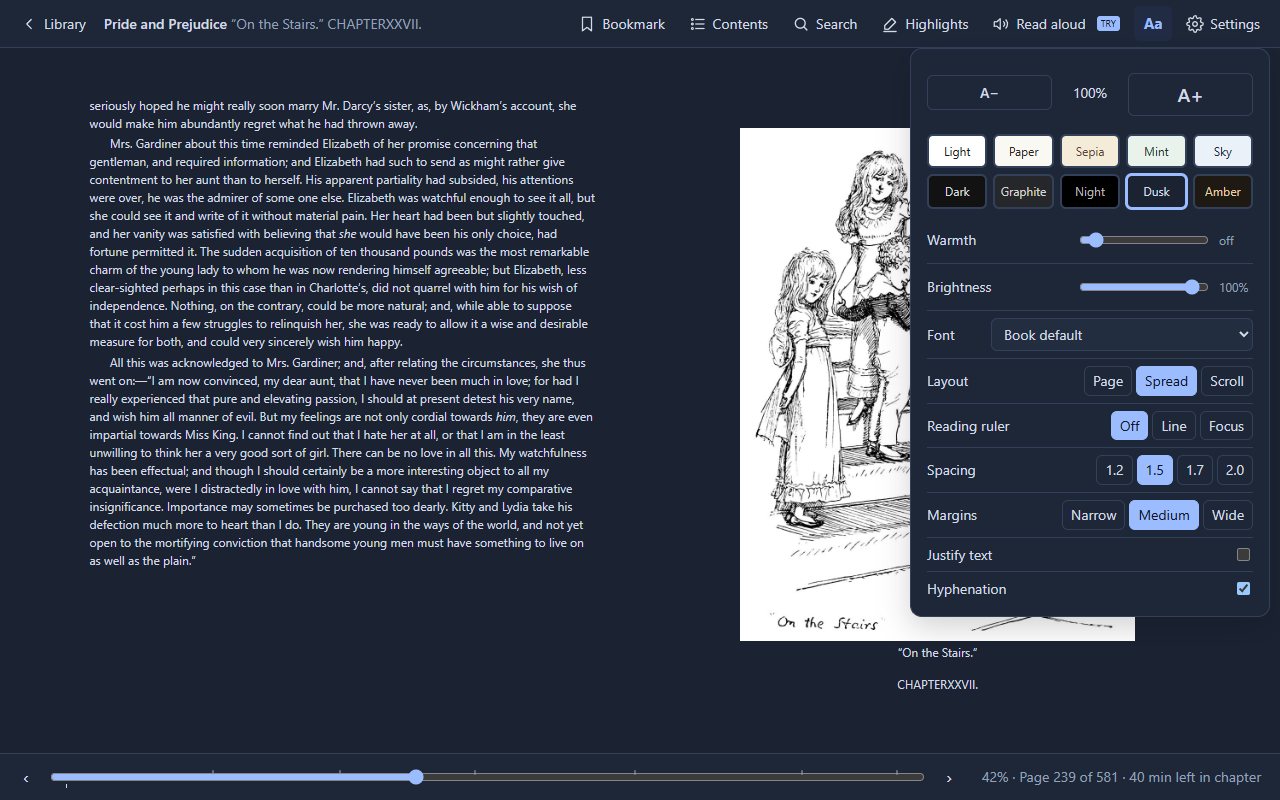
The display panel with themes, fonts and layout in the Dusk theme
Themes, fonts and layout in one panel

Being honest about the old formats

  • Copy protection stops here. A protected .azw3 or .mobi will not open, and this reader does not remove protection. Most books bought from a large store are protected and need that store's own app.
  • MOBI and AZW3 are old. The text, the chapter list and the images come through, but a book in these formats can look plainer than the same title as an EPUB, because the format itself carries less styling.
  • Comics count differently. In a CBZ the pages are images, so page numbers mean images, and search does not apply.
  • No file comes out. If what you need is a converted copy to keep, this is the wrong tool: it reads the file, it does not rewrite it.

Questions

Is the file uploaded to a server?

No. This site is static files with no server behind it. The book is read in the browser and kept in the browser's own storage, along with your place and highlights.

How do I know if a file is protected?

Try it. A protected file fails to open and the reader says so; an unprotected one opens in a second or two.

Does the extension open these formats too?

Yes, the Chrome extension and the web reader are the same reader in different shells (the Edge and Firefox versions catch up as their stores approve each update). The extension adds an offline library and can open .epub links from the web directly.

Is it free?

Yes. Pro is a one-time purchase for unlimited read aloud, highlight export to Markdown and reading statistics.

More guides